Showing posts with label Free Portable software. Show all posts

Sunday, May 10, 2009

CamStudio V2.0


Synopsis: CamStudio is able to record all screen and audio activity on your computer and create AVI video files, then convert them into streaming Flash video files (SWF) using its built-in SWF Producer. It also supports anti-aliased screen captions as well as audio and video annotations.

Writes settings to: Application folder


How to extract: Download the installer and install to the default folder. Copy all files (except uninstall.exe and uninstall.ini) to a folder of your choice, then uninstall the program. Launch Recorder.exe.

Unicode support: No

License: Freeware/Open Source

System Requirements: WinNT / Win2K / WinXP

Download
Download “CamStudio V2.0”

NFReader


NFReader ist ein Feed-Reader, der RSS-, Atom- und RDF-Feeds unterstützt. Feeds und Gruppen von Feeds können in OPML-Dateien exportiert und aus diesen importiert werden.


Synopsis: NFReader is a simple newsfeed reader with RSS, Atom and RDF support. It also imports and exports OPML files.

Writes settings to: Application folder


How to extract: Download the RAR package and extract to a folder of your choice. Launch NFReader.exe.

Stealth [?]: Yes

Unicode support: No

License: Freeware

System Requirements: Win2K / WinXP

Download
Download “NFReader”

Tuesday, May 5, 2009

Free Portable Software JPEG & PNG Stripper V1.5.0.34


Category: Graphics - Processing (30)

Synopsis: JPEG & PNG Stripper is a tool for stripping/cleaning metadata (junk) from JPG, JPEG, JFIF and PNG files. The image quality is not affected.

Writes settings to: User profile folder. But given the nature of the application and the small number of settings it exposes, I think it can be accepted as portable.


How to extract: Download the ZIP package and extract to a folder of your choice. Launch Stripper.exe.

Stealth [?]: No

Unicode support: Yes

License: Freeware

System Requirements: Win95 / Win98 / WinME / WinNT / Win2K / WinXP / Vista

download

http://www.steelbytes.com/?mid=30
Download “Free Portable Software JPEG & PNG Stripper V1.5.0.34”

Wednesday, April 15, 2009

SilentNight Micro CD Burner : SilentNight Micro CD Burner


SilentNight Micro CD Burner is a tiny CD burner that lets you select the folder you want to burn to CD, with optional wildcard-based filtering. It supports long file names (Joliet filesystem) multi-session CDs, audio CDs from MP3/WAV files, Burn Proof/Just Link support etc.

Note: V5.0 is shareware with a "Light" version that can be used for free. All old functions from V4.x are 100% free to use, but new functions like VCD creation are only available in the registered version.

Latest: V6.0 has gone nagware, so I will stick with V5.0 until further notice. Direct download is provided for the last totally free version that I have, in case anyone wants it.

Writes settings to: Application folder


How to extract: Download the EXE file and copy to any folder of your choice. Launch the program by double-clicking on microburner.exe.

Unicode support: No

License: Freeware

System Requirements: Win95 / Win98 / WinME / WinNT / Win2K / WinXP

Download
Download “SilentNight Micro CD Burner : SilentNight Micro CD Burner”

dirhtml : Free Portable Software


Synopsis: dirhtml creates index.html files that lists the files in a folder (and subfolders), optionally including your own HTML code at any point in the generated files.

Note: As of v4.74, dirhtml supports Unicode but no longer supports Win95/98/ME. Thanks to Eric Nitzsche for the information.

Writes settings to: Application folder


How to extract: Download the ZIP file and extract to a folder of your choice. Launch dirhtml.exe.

Stealth [?]: Yes

Path portability: Requires manual entry of drive-less absolute path (eg. \docs\personal\work.doc without the drive letter)

Unicode support: Yes

License: Freeware

System Requirements: WinNT / Win2K / WinXP / Vista

Download

http://dirhtml.enware.info/
Download “dirhtml : Free Portable Software”

Saturday, December 20, 2008

Mp3tag

Synopsis: Mp3tag is an editor for metadata of common audio formats (eg. ID3, Vorbis Comments, APE, MP4, TAK Loseless). It can rename files based on the tag information, replace characters or words from tags and filenames, import/export tag information, create playlists and more. The program supports online freedb database lookups for selected files, allowing you to automatically gather proper tag information for select files or CDs.

Writes settings to: Application folder. However it does write docking panel information to the registry.

Dependencies: GDIPLUS.DLL

How to extract: Download the installer and extract to a folder of your choice. Delete $PLUGINSDIR and [NSIS].nsi. Create a blank file in the same folder called mp3tag.cfg. Launch Mp3tag.exe.

Stealth: No

Unicode support: Yes

License: Freeware

System Requirements: WinXP / Vista

Website - Screenshot - Download
Download “Mp3tag”

SysExporter

Synopsis: SysExporter utility allows you to grab the data stored in standard list-views, tree-views, list boxes, combo boxes, text-boxes, labels, and WebBrowser/HTML controls from almost any application running on your system, and export it to text, HTML or XML file.
Writes settings to: Application Folder
How to extract: Download the ZIP package and extract to a folder of your choice. Launch sysexp.exe.
Stealth: Yes
Unicode support: No
License: Freeware
System Requirements: Win98 / WinME / WinNT / Win2K / WinXP / Vista

Website - Screenshot - Download
Download “SysExporter”

USBDeview

Synopsis: USBDeview is a small utility that lists all USB devices that currently connected to your computer, as well as all USB devices that you previously used. For each USB device, extended information is displayed: Device name/description, device type, serial number (for mass storage devices), the date/time that device was added, Vendor ID, Product ID etc. USBDeview also allows you to uninstall USB devices that you previously used, and disconnect USB devices that are currently connected to your computer. You can also use USBDeview on a remote computer, as long as you login to that computer with admin user.

Writes settings to: Application folder


How to extract: Download the ZIP package and extract a folder of your choice. Launch USBDeview.exe.

Stealth: Yes

License: Freeware

System Requirements: Win2K / WinXP / Vista

Website - Screenshot - Download
Download “USBDeview”

Password Safe (Twofish)

Synopsis: Password Safe is a password database for storing sensitive information in an encrypted form until the correct master password is entered. The database is encrypted with the Twofish encryption algorithm. You can copy a password into the clipboard and paste it directly into your application. Alternatively, Password Safe supports "Auto Type" that enters the username and password into the target application by simulating keystrokes.

Note that there is another application of the same name in the database that is totally unrelated with this entry.

Writes settings to: Application folder


How to extract: Download the ZIP package and extract to a folder of your choice. Launch pwsafe.exe.

Stealth: Yes

Unicode support: No

License: Freeware/Open Source

System Requirements: Win95 / Win98 / WinME / WinNT / Win2K / WinXP

Website - Screenshot - Download
Download “Password Safe (Twofish)”

Wednesday, November 26, 2008

Liquid War


Liquid War is a unique multiplayer wargame. Its rules are truely original and have been invented by Thomas Colcombet. You control an army of liquid and have to try and eat your opponents. A single player mode is available, but the game is definitely designed to be multiplayer, and has network support.

load

http://www.ufoot.org/liquidwar/v5

Download “Liquid War”

Tuesday, November 18, 2008

File Navigator V1.7.3.592


File Navigator V1.7.3.592 Suggested by BigD Posted on 18th November 2008 - 1MB


Category: Files - Managers
Synopsis: File Navigator is a Norton-Commander clone with a dual-pane text-based interface with a command prompt for you to enter DOS commands directly. Though the website is in Russian, the program itself is entirely in English.
Writes settings to: Application folder. To enable this, select the menu items "Commands" followed by "Configuration". Then click on the "Compatibility" tab and check "Store configuration in the INI-file".
How to extract: Download the ZIP package and extract to any folder of your choice. Launch the program by double-clicking on Fn.exe.
Unicode support: No

License: Freeware
System Requirements: Win95 / Win98 / WinME / WinNT / Win2K / WinXP

load
Download “File Navigator V1.7.3.592”

Friday, November 14, 2008

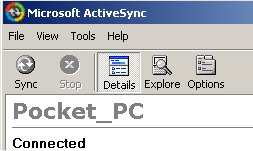
Portable Microsoft ActiveSync v4.5 - PocketPC (PPC)


Portable Microsoft ActiveSync v4.5 - PocketPC (PPC)
Microsoft ActiveSync v4.5 Portable for PocketPC (PPC)
Microsoft ActiveSync v4.5 Portable is a breakthrough, as it's totally portable, and no need to install on PC!Use anywhere, anytime...just transfer to your USB storage stick, and plug-in & click, wherever you are! No Install needed!Annoyed of not being able to use active sync on other pc with user restrictions (like at school)? Here is the solution.It leaves traces on host computer. If you want to delete traces browse to Documents and Settings/App Data/Thinstall. Otherwise This works with no installation on guest accounts. To stop application, as activesync doesnt have an exit button, you will need to use task manager to end process wcescomm.exedownload Microsoft ActiveSync v4.5 Portable - PocketPC (PPC)on rapidshare
Download “Portable Microsoft ActiveSync v4.5 - PocketPC (PPC)”

Apple Safari 3.1.1 Portable

Apple Safari 3.1.1 Portable
The fastest web browser on any platform, Safari loads pages up to 2 times faster than Internet Explorer 7 and up to 1.7 times faster than Firefox 2.And it executes JavaScript up to 3 times faster than Internet Explorer 7 and up to 2 times faster than Firefox 2.What does all that mean for you? Less time loading pages and more time enjoying them.Performance measured in seconds. Testing conducted by Apple in November 2007 on a 2.4GHz Intel Core 2 Duo-based iMac system running Windows XP Professional SP2, configured with 1GB of RAM and an ATI Radeon HD 2600 with 256MB of VRAM. HTML and JavaScript benchmarks based on VeriTest’s iBench Version 5.0 using default settings. Testing conducted with a beta version of Safari; all other browsers were shipping versions. Performance will vary based on system configuration, network connection, and other factors.
Download “Apple Safari 3.1.1 Portable”